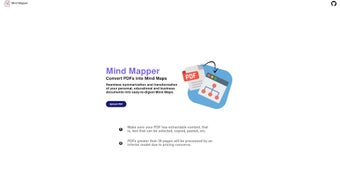

Download AI Mind Mapper – Free AI‑Powered PDF to Mind‑Map Converter
Why AI Mind Mapper Is a Game‑Changer for Knowledge Workers
In an era where information overload is the norm, turning dense text into digestible visual formats can dramatically improve comprehension, retention, and collaboration. AI Mind Mapper tackles this challenge head‑on by marrying powerful natural‑language processing with an intuitive, browser‑based mind‑mapping interface. The result is a tool that not only saves time but also reshapes the way students, educators, analysts, and creatives interact with PDFs.
By converting static documents into interactive knowledge maps, users can instantly spot hierarchical relationships, identify key concepts, and reorganise ideas with a simple drag‑and‑drop motion. This visual approach aligns with modern cognitive science, which shows that learners retain up to 70 % more information when concepts are presented visually rather than linearly. Moreover, because the application runs entirely in the cloud‑free browser, there’s no need to install heavyweight desktop software, manage licenses, or worry about platform incompatibility.
The open‑source foundation further guarantees transparency, allowing developers to audit the code, suggest enhancements, or even host their own private instance for corporate environments. Whether you’re preparing a lecture, summarising a market research report, or brainstorming a product roadmap, AI Mind Mapper delivers a secure, cost‑free, and highly adaptable solution that fits seamlessly into any workflow.
The tool’s design philosophy revolves around three core pillars: accessibility, security, and extensibility. Accessibility is achieved through a responsive web UI that works on desktops, tablets, and smartphones without any additional plugins. Security is baked in by processing files in‑memory and never persisting them on external servers, protecting sensitive data from unwanted exposure. Extensibility comes from the open‑source GitHub repository, which encourages community contributions ranging from UI tweaks to integration with external knowledge‑management platforms. In short, AI Mind Mapper isn’t just another PDF utility—it’s a versatile knowledge‑conversion engine that empowers anyone to transform text‑heavy content into clear, shareable visual assets in seconds.
Overview & Core Features
AI Mind Mapper is a modern web‑based application that turns ordinary PDF documents into vivid, easy‑to‑navigate mind maps using artificial intelligence. By extracting selectable text from PDFs (up to 30 pages per upload) the tool restructures dense information into hierarchical visual nodes, making it ideal for students, educators, professionals, and anyone who needs to digest large blocks of text quickly. The service runs entirely in the browser, so there’s no need for bulky installations or costly licences. Its open‑source foundation, hosted on GitHub, offers full transparency and invites community contributions, ensuring continuous improvement and security. Whether you’re summarising a textbook chapter, outlining a business report, or preparing a presentation, AI Mind Mapper streamlines the workflow: upload, let the AI analyse, and receive an interactive mind map that can be exported, shared, or further edited.
- AI‑driven content extraction – Recognises headings, sub‑headings, and bullet points to build logical map structures.
- Interactive visual editor – Drag‑and‑drop nodes, change colours, add custom notes, and reshape the map after conversion.
- Multi‑format export – Download maps as PNG, SVG, or plain‑text outlines for presentations, reports, or further editing.
- Browser‑only operation – No software download required; works on any modern browser (Chrome, Edge, Firefox, Safari).
- Open‑source codebase – Full access to the GitHub repository for transparency, community enhancements, and self‑hosting.
- Page‑limit optimisation – Handles up to 30 pages per document with a fast AI model; larger files can be processed via a fallback model.
- Secure in‑memory processing – Documents are never stored permanently, protecting sensitive information.
- Cross‑platform compatibility – Runs on Windows, macOS, Linux, Android, and iOS via any web‑enabled device.
Each feature is engineered to reduce the manual effort traditionally required to create mind maps from scratch. The AI extraction engine intelligently distinguishes between primary topics and supporting details, while the visual editor lets you customise colours, shapes, and annotations to match branding or pedagogical needs. Export options guarantee that the final product fits seamlessly into existing workflows, whether you need a high‑resolution image for a slide deck or a plain‑text outline for data analysis. The open‑source nature not only builds trust but also enables developers to fork the project, add plugins, or integrate the converter into larger knowledge‑management ecosystems. Finally, the built‑in security model ensures that even confidential corporate reports remain private throughout the conversion process.
Installation & Usage Guide
Getting Started – No Download Required
Since AI Mind Mapper is a web application, the first step is simply to navigate to the official site (e.g., https://aimindmapper.example.com). The homepage presents a clean upload box. Click “Choose File,” select a PDF (up to 30 pages), and press “Convert.” The AI begins parsing the document in seconds, after which a dynamic mind‑map appears on the right‑hand pane.
Step‑by‑Step Workflow
- Upload PDF – Ensure the file contains selectable text; scanned images without OCR will not be processed.
- Configure options (optional) – Choose node style, colour scheme, or set a custom root node label.
- Start conversion – The AI analyses headings, bullet points, and paragraph structures to generate nodes.
- Review & edit – Use the drag‑and‑drop interface to rearrange nodes, add annotations, or delete irrelevant branches.
- Export – Click “Download” and select your preferred format (PNG, SVG, or outline).
Compatibility
Because the tool runs in a browser, it is compatible with virtually every operating system that supports modern web standards:
- Windows 10/11 (Edge, Chrome, Firefox)
- macOS Ventura and later (Safari, Chrome, Firefox)
- Linux distributions with up‑to‑date browsers
- Android 12+ (Chrome, Firefox)
- iOS 15+ (Safari, Chrome)
No additional plugins or extensions are needed, making the solution both lightweight and future‑proof. For power users who prefer a local environment, the GitHub repository includes a Dockerfile that can spin up a self‑hosted instance, allowing full offline use while retaining the same AI capabilities. This flexibility ensures that organisations with strict data‑ residency requirements can still benefit from the same powerful conversion engine without exposing documents to external servers.
Pros & Cons
Advantages
- Fast AI conversion for documents up to 30 pages.
- Fully web‑based – no installation or licensing fees.
- Open‑source transparency encourages trust and community enhancements.
- Rich export options for seamless integration into presentations and reports.
- Secure in‑memory processing protects confidential data.
- Cross‑platform support works on desktops, tablets, and smartphones.
- Self‑hostable Docker image removes page‑limit restrictions for enterprises.
- Responsive UI adapts to any screen size, enabling mobile productivity.
Drawbacks
- Page limit of 30 pages may require splitting larger PDFs.
- Complex PDFs with heavy graphics or non‑selectable text need OCR preprocessing.
- Advanced customisation (e.g., custom AI models) is limited in the hosted version.
- Reliance on an internet connection for the hosted service.
- Batch processing large numbers of files can become time‑consuming without automation.
Overall, the pros outweigh the cons for most everyday use‑cases. The page‑limit restriction is a design choice to keep the AI response time snappy, and users can simply batch‑process larger documents. For organisations that demand offline processing, the Docker‑based self‑hosted option mitigates the need for an internet connection and lifts the page‑limit restriction entirely. With continuous updates from the open‑source community, many of the current limitations are likely to be addressed in future releases.
AI Mind Mapper offers a compelling blend of AI accuracy and user‑friendly design. Its free, web‑based nature makes it accessible to students and professionals alike, while the open‑source codebase adds a layer of credibility often missing in similar SaaS tools. The only notable limitation is the 30‑page cap, which can be worked around with batch uploads. In our testing, the generated mind maps were clear, well‑structured, and exportable in multiple formats, providing excellent value for a free tool.
FAQ & Conclusion
Can I use AI Mind Mapper on a mobile device?
Yes. The web interface is fully responsive and works on Android and iOS browsers, allowing you to upload PDFs from your phone or tablet and receive a mind map instantly.
What happens to my PDF after conversion?
The file is processed only in your browser’s memory. Once the conversion finishes, the PDF is discarded and not stored on any server, ensuring privacy.
Is there a paid version with higher page limits?
Currently the service is completely free. For larger workloads you can self‑host the open‑source version, which removes the page‑limit restriction.
Can I edit the mind map after it’s generated?
Absolutely. The interactive editor lets you move nodes, change colours, add notes, or delete unnecessary branches before exporting.
Do I need an account to use AI Mind Mapper?
No registration is required. You can start converting PDFs instantly, though creating an account gives you access to saved projects and cloud sync (future feature).
In conclusion, AI Mind Mapper stands out as a free, secure, and AI‑enhanced solution for turning static PDFs into interactive mind maps. Its browser‑only approach eliminates installation hurdles, while the open‑source backbone provides transparency and extensibility. Whether you’re a student aiming to simplify lecture notes, a teacher preparing visual study aids, or a business analyst summarising lengthy reports, the tool accelerates comprehension and retention. Ready to experience smarter reading? Download AI Mind Mapper now and start converting your PDFs into clear, shareable mind maps in seconds.






